Confidence intervals 3
Download: NonparametricConfidenceIntervals_init.xlsx
Introduction
Nonparametric confidence intervals make no assumptions about the sampling distribution, usually only assuming that measurements are independent and that the sample is suitably representative of the parent population. As such they are often preferred over parametric confidence intervals. In this screencast you will learn how to obtain nonparametric confidence intervals in Excel.
So why use parametric confidence intervals at all? Perhaps the most common use case is when the sample size is fairly small. One essentially makes up for the lack of information provided by a small sample size by making more assumptions about the sampling distribution.
Learning Outcomes
- Understand the difference between parametric and nonparametric CIs
- Learn how to obtain a nonparametric CI for the median using the inverse binomial method
- Learn how to obtain nonparametric CIs using bootstrapping
Tasks
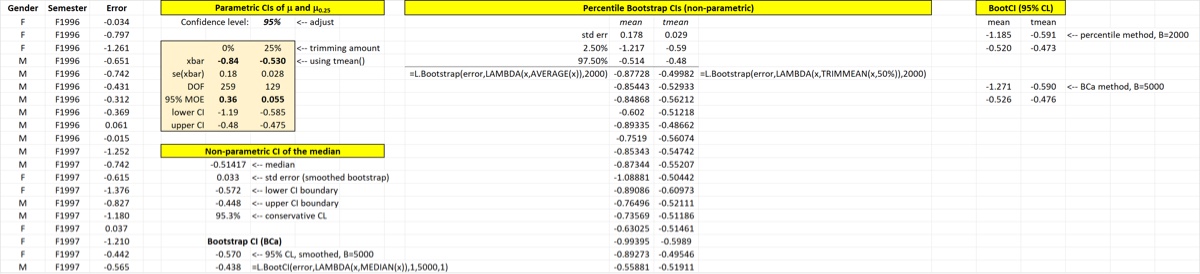
- Calculate the nonparametric CI for the median using
MedianCI, as well as the standard error of the median usingBootSE(and default smoothing) - Demonstrate how to calculate the CI of any statistic using bootstrapping and the percentile method. Use with
Bootstrapfor this task, applying it to the untrimmed mean and 25% trimmed mean at various confidence levels. - Use
BootCIto calculate the same CIs. Also demonstrate the BCa method. Compare bootstrap CIs to parametric CIs (and, for the median, to the inverse binomial CI).
At the end of the screencast your spreadsheet will look something like the image below.