Cell Formulas 2
Download: Formulas2_init.xlsx
Learning Goals
- learn to use relative, absolute, and mixed addresses in cell formulas
- learn to name ranges and use them in formulas, and their advantages and drawbacks
- learn what a cross-tabulation table (cross-tab) is and one way to calculate it in Excel
- learn one way to list unique values
Tasks
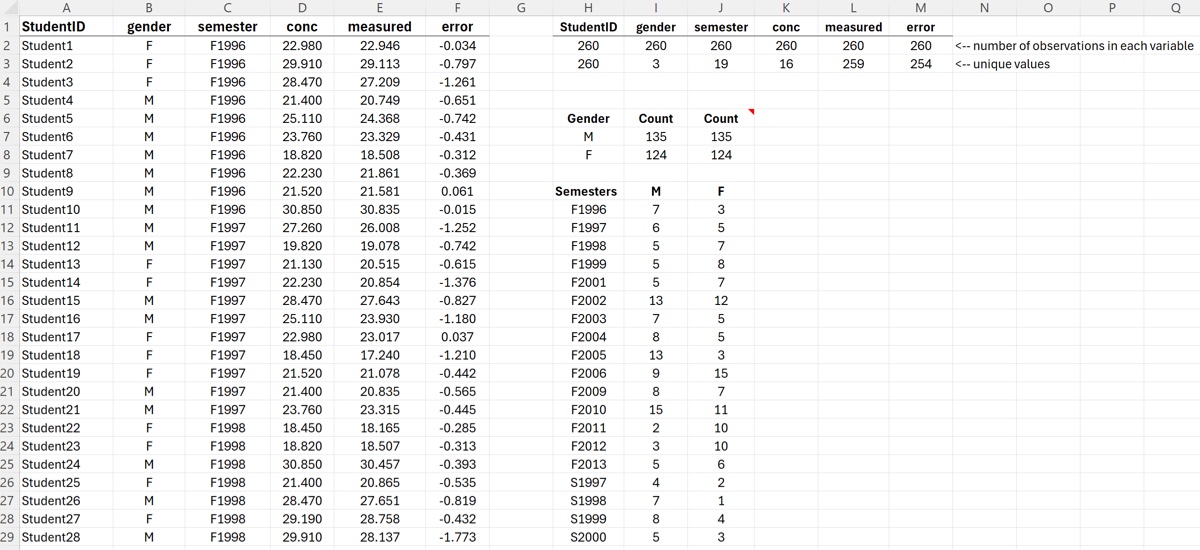
- Count the number of unique values in each column of the dataset
- Name the dataset columns (use shortcut “create from selection”)
- Count the number of genders using named ranges
- Count the number of students in each semester
- Count the number of males and females in each semester (create cross-tab)
- Find the semester with the count discrepancy
By the end of the screencast your spreadsheet should look something like the image below.