Unfold
Description
Unfold converts data between a “folded” format (also called a pivot-table format) and an “unfolded” format (“tidy” or unpivoted format). The folded format is often more compact and useful for presentations, but statistically is problematic because the row or column labels contain information about an important variable in the data. Many statistical functions and data presentation procedures require the data to be in an unfolded format, which is where this function proves useful.
Syntax
Unfold(data, [rlabels], [clabels]) where
dataare the values “inside” the folded tablerlabelsare row labelsclabelsare column labels
Normally you supply row labels, column labels, or both. If you supply neither, the output is just the non-blank values as a single column. Blank cells in data are removed from the output. Unfold is not currently able to handle nested labels.
Example
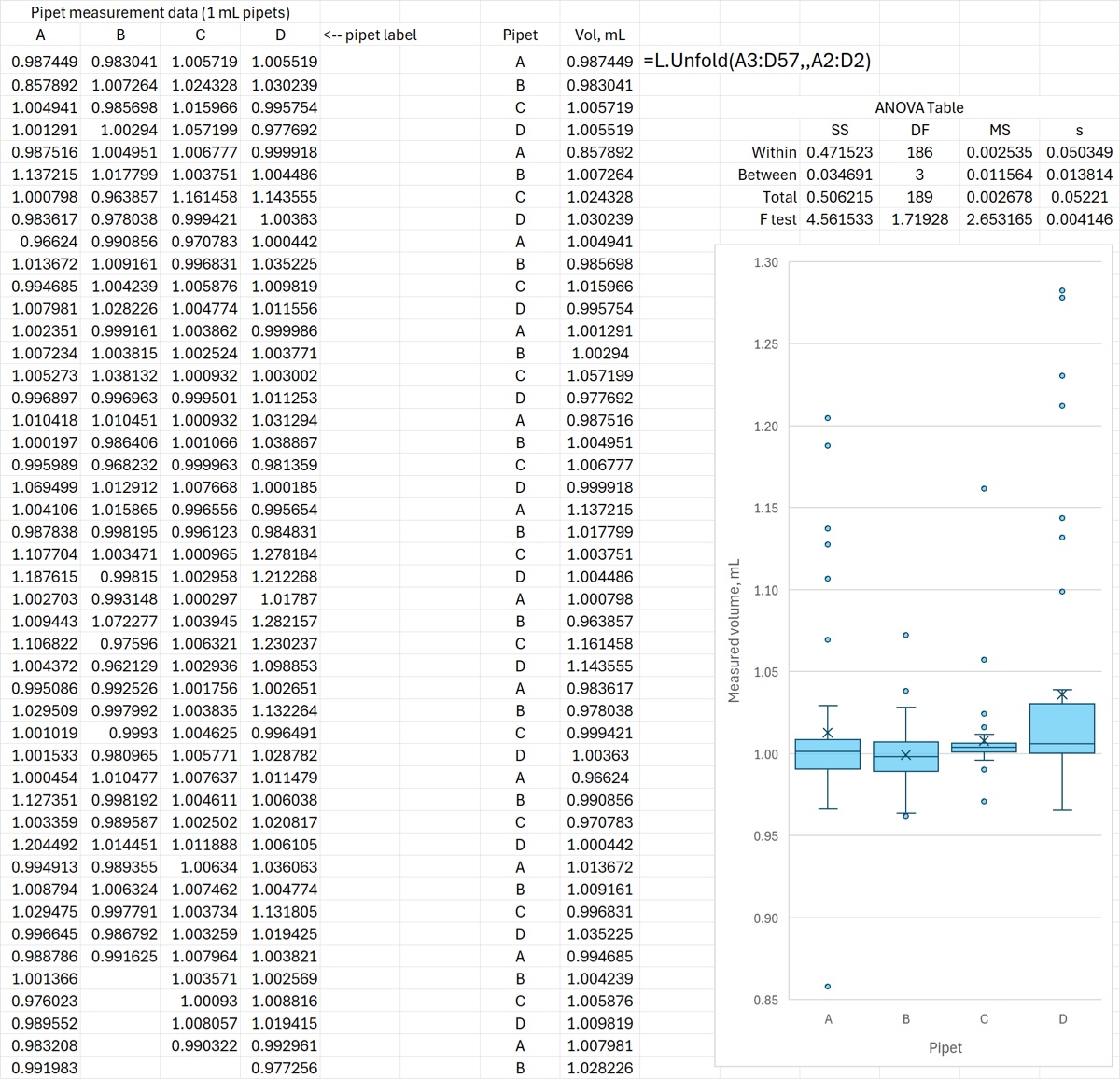
Below is an example where a set of measurements is in a format that is inconvenient for analysis by ANOVA or Excel Boxplots. The Unfold formula converts the data to measurements as a function of pipet type.
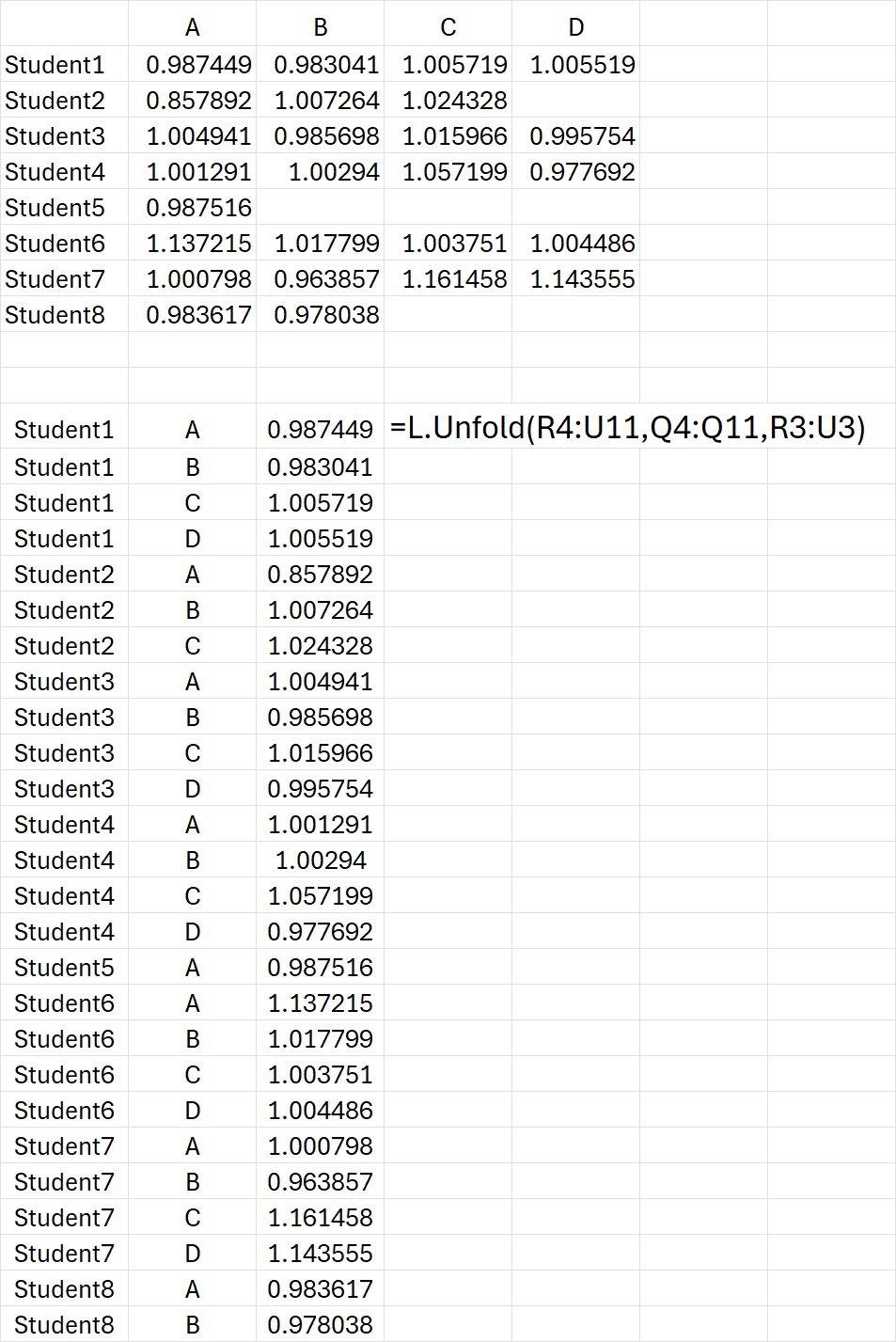
The data below have both row and column labels, and Unfold is able to “unpivot” the data into three columns, unpacking the variable information in the row/column labels.
Download: Unfold.xlsx
Source Code
Unfold = LAMBDA(
    data, // values in the table (may have blank cells)
    [rlabels], // 1st factor, the row labels
    [clabels], // 2nd factor, the column labels (optional)
    LET(
        nocols, ISOMITTED(clabels),
        norows, ISOMITTED(rlabels),
        clabels, IF(
            // if clabels are not submitted or are all blank,
            // provide default labels
            AND(ISBLANK(clabels)),
            LET(numcols, COLUMNS(data), "col_" & SEQUENCE(, numcols)),
            clabels
        ),
        rlabels, IF(
            // if clabels are not submitted or are all blank,
            // provide default labels
            AND(ISBLANK(rlabels)),
            LET(numrows, ROWS(data), "row_" & SEQUENCE(numrows)),
            rlabels
        ),
        // reshape data into a column
        blanks, TOCOL(ISBLANK(data)),
        // reshape the labels into two columns
        first,TOCOL(IF(SEQUENCE(,COLUMNS(data)),rlabels)),
        second,TOCOL(IF(SEQUENCE(ROWS(data)),clabels)),
        output, FILTER(HSTACK(first, second, TOCOL(data)), NOT(blanks)),
        // omit fake column or row labels
        IFS(
            nocols*NOT(norows), CHOOSECOLS(output, 1, 3), //row labels only
            norows*NOT(nocols), CHOOSECOLS(output, 2, 3),  //column labels only
            norows*nocols, DROP(output,,2), //no labels at all
            TRUE, output //default output (row and col labels)
        )
    )
);