Range
Description
Range returns a sequence of numbers of desired length, start, and stop values. Both this function and the companion Series function are convenient wrappers for SEQUENCE, meant to relieve you of having to do some mental math to get the sequence you want.
Range is useful when you want to specify the start and stop exactly, as well as the number of items in a sequence. Series is useful for when you want to control the start and step values exactly.
Syntax
Range(start, stop, length) where
startis the value at the beginning of the sequencestopis the last value of the sequencelengthis the number of items in the sequence.
The step size is chosen to accommodate the inputs. The sequence is returned as a column vector.
Example
The example compares the usage of Series and Range.
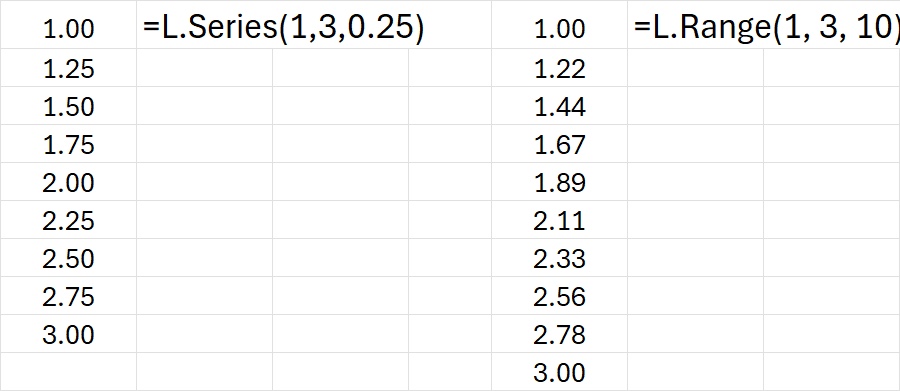
Download: SeriesRangeSequences.xlsx
Source Code
Range = LAMBDA(start, stop, length, SEQUENCE(length, 1, start, (stop - start) / (length - 1)));