NumUnique
Description
Returns the number of unique values or numbers. More valuable before Excel introduced the UNIQUE function but now it is just a thin wrapper for either COUNT(UNIQUE(X)) or COUNTA(UNIQUE(X)); largely retained for legacy purposes.
Syntax
NumUnique(data, [numeric=FALSE]) where
datais the input data (any shape)numericis a boolean (default false) that determines if only unique numbers are counted or any unique cells
Example
See the usage below. Note that by default empty cells are counted as a unique item.
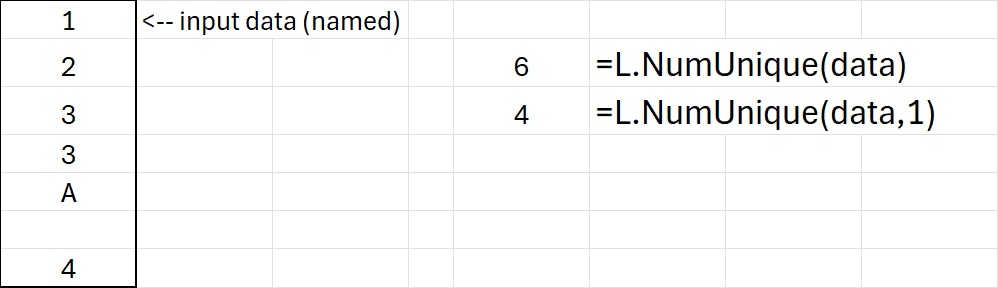
Download: NumUnique.xlsx
Source Code
NumUnique = LAMBDA(
    X,          // input data (any shape)
    [numeric],  // force the use of COUNT
    LET(
        numeric, IF(ISOMITTED(numeric), FALSE, numeric),
        // treat tables & rows the same as a column
        Xc, TOCOL(X),
        IF(numeric, COUNT(UNIQUE(Xc)), COUNTA(UNIQUE(Xc)))
    )
);